 FPVFlow
Gyro stabilization built for FPV pilots
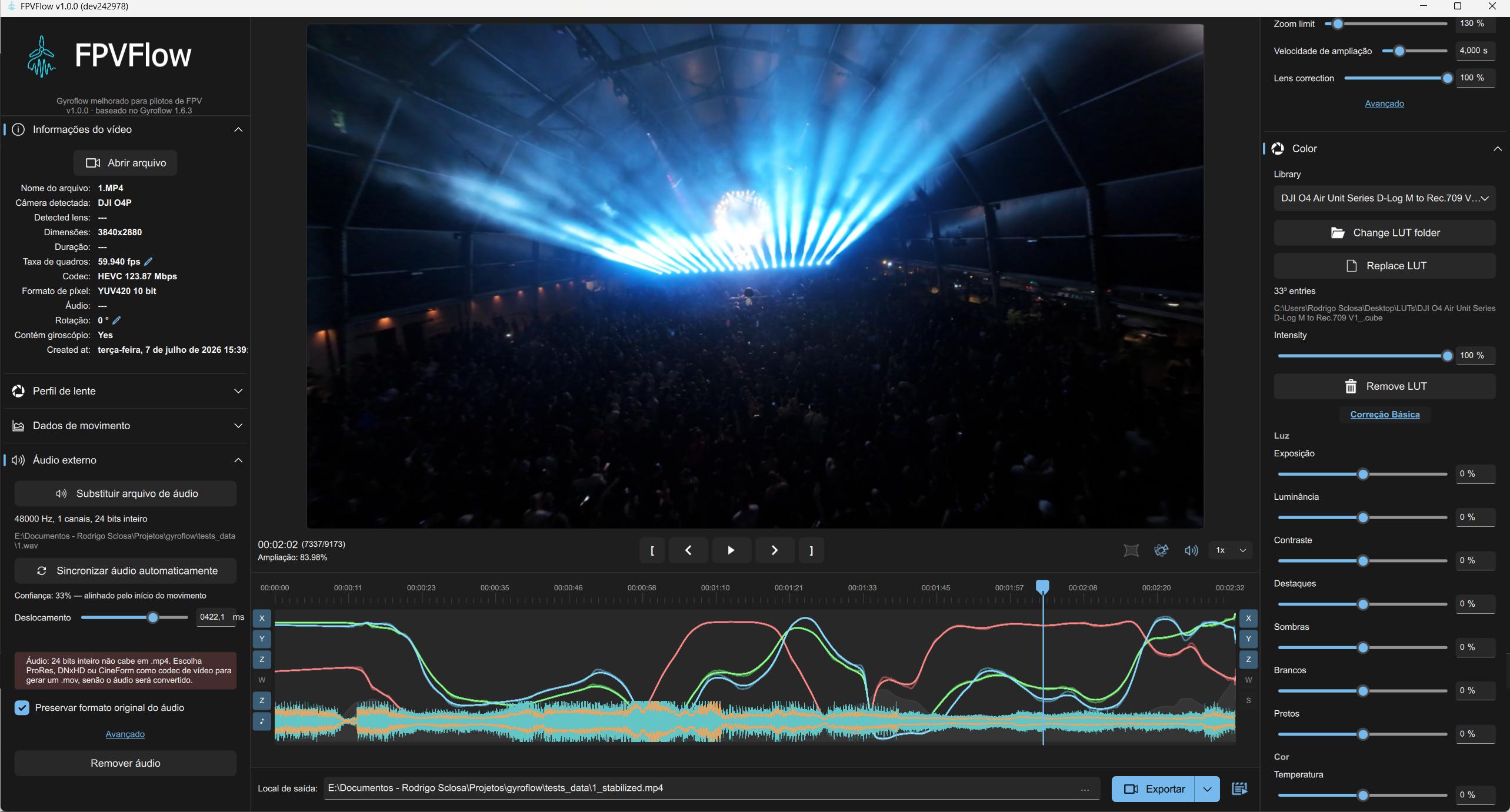
FPVFlow is a free fork of Gyroflow that turns your FPV footage into a finished file in one pass: stabilized with the camera's own gyro data, colour graded with your LUT, with the external audio synced by itself - and with the DJI O4 false rotations removed.
Free and open source (GPL-3.0) - Windows, macOS and Linux





Works with the gyro data of
Everything Gyroflow does, plus three tools for FPV
Built for one job: you land with log footage and a separate audio track, and you want a file you can post without a second pass through an editor.
DJI O4 Gyrogate repair
O4 Air Unit Pro units built since early 2026, and every O4 Lite, record short false rotations under motor vibration. Stabilized, the video jerks and slowly sways. FPVFlow finds and removes them.
- Tells which gyro your unit most likely has, from its serial number
- Counts the false rotations in each clip and turns the repair on by itself
- Removes each burst and the camera's slow pull-back that follows it
- Saves a corrected
_gyrofixcopy that any Gyroflow opens
Motion data - DJI Gyrogate
Colour grading with your LUTs
D-Log M or GoPro Flat need a conversion LUT before they look right. FPVFlow applies it while it stabilizes, so the export is already graded.
- Any Adobe
.cubeLUT, 1D or 3D, with an intensity slider - A LUT library folder, two clicks away
- 13 adjustments: exposure, contrast, highlights, shadows, white balance, saturation, vignette and more
- 10-bit stays 10-bit; the output is tagged Rec.709
Color - D-Log M to Rec.709
External audio that syncs itself
A DJI Mic on the pilot, or a camera without a microphone: import the separate recording and FPVFlow lines it up with the video.
- Finds the drone's arming beep and the moment the props stop
- Handles recordings started by hand, before arming
- Plays in the preview, with the waveform on the timeline
- Embedded in the export, in its original format where possible
External audio - auto-sync
Smooth footage from the gyro, not from guesswork
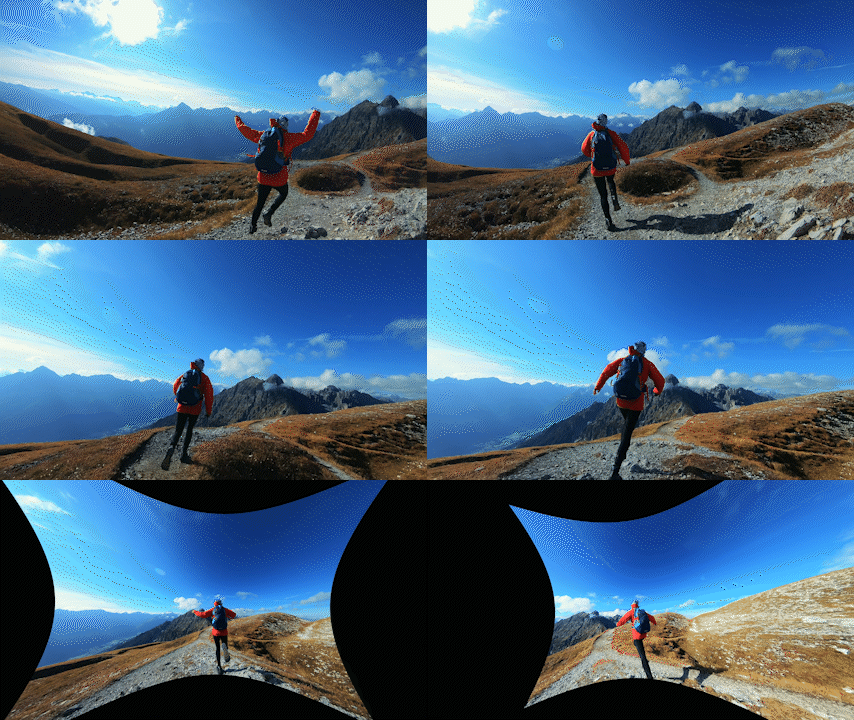
The camera records its own motion. FPVFlow uses it to undo shake, roll and rolling shutter precisely, frame by frame.
Everything Gyroflow does, unchanged
FPVFlow adds to Gyroflow rather than replacing it. Its projects, presets and lens profiles work the same.
Real-time preview
Every adjustment shows up immediately, on the GPU.
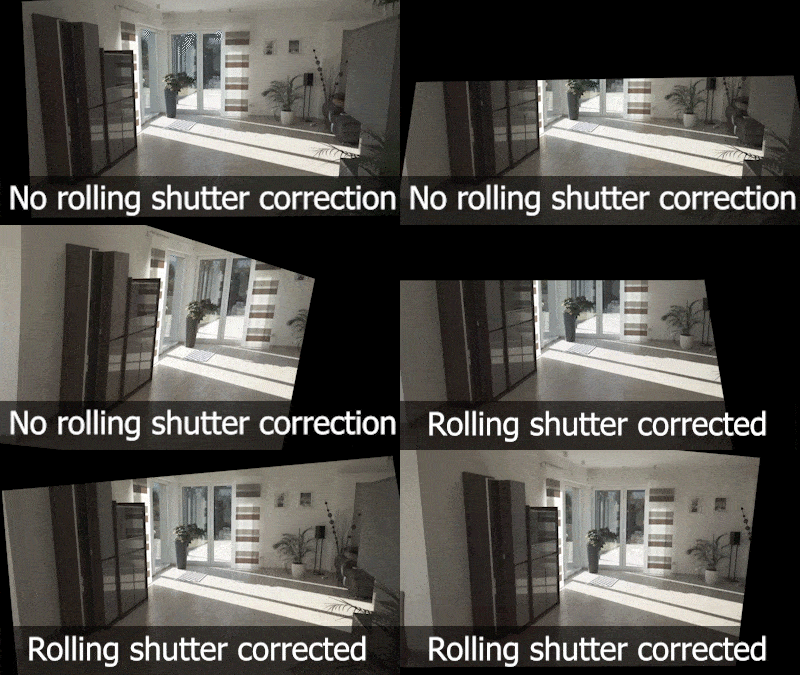
Rolling shutter correction
Removes the jello that fast motion leaves in CMOS footage.
Lens profile database
Official profiles for GoPro, DJI, Sony, Insta360 and RunCam, updated automatically.
Smoothing algorithms
Several algorithms, horizon levelling and per-axis smoothness.
Adaptive zoom
Dynamic cropping keeps the frame filled with as little zoom as possible.
Keyframes
Change any setting over the length of the clip.
Render queue
Batch your flights and export them in one go.
Pro codecs, 10-bit
H.264, H.265, ProRes, DNxHD, CineForm and OpenEXR, GPU accelerated.
Video editor plugins
Stabilize directly in DaVinci Resolve, Premiere, After Effects or Final Cut Pro.
Get FPVFlow
Free, no account, no watermark. The app tells you when a new version is out.
Windows 10 (1809) or later, 64-bit. Extract the zip and run FPVFlow.exe.
macOS 10.15 or later, Apple Silicon and Intel. Unzip and drag FPVFlow.app to Applications.
First launch: System Settings → Privacy & Security → Open Anyway. How
Download for macOSThe builds are not code-signed, so the first launch needs one extra step on Windows and macOS - see the installation guide. Older versions and release notes are on the releases page.